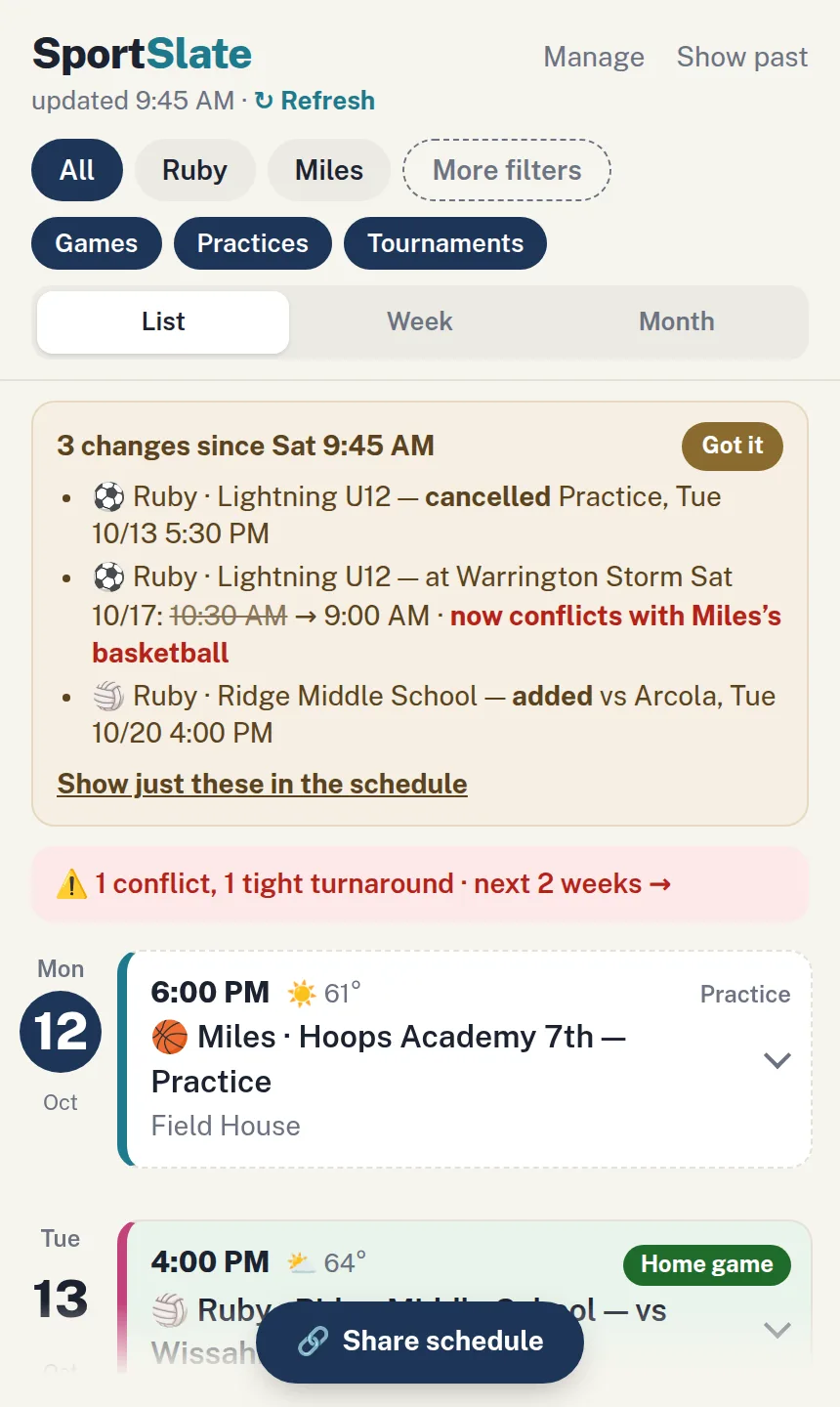
SportSlate merges every team's schedule — TeamSnap, GameChanger, PlayMetrics, SportsEngine, school sports websites, any team app's calendar link — into one list for your family. It flags conflicts, shows you what changed, and shares a live link with friends and relatives.
Stop checking three apps and a website to find out what Saturday looks like for your kids. It's all in SportSlate.

Free for 21 days, no card needed. Then $29.99/year for the whole family.
Works with TeamSnap, TeamSnap One, GameChanger, PlayMetrics, SportsEngine, LeagueApps, TeamLinkt, school sports websites, and any team app's calendar link.
One kid's team is in TeamSnap, another's is in GameChanger, and school is on a website. So every weekend starts with "where's the game?" SportSlate puts every team in one place, so nobody has to ask.

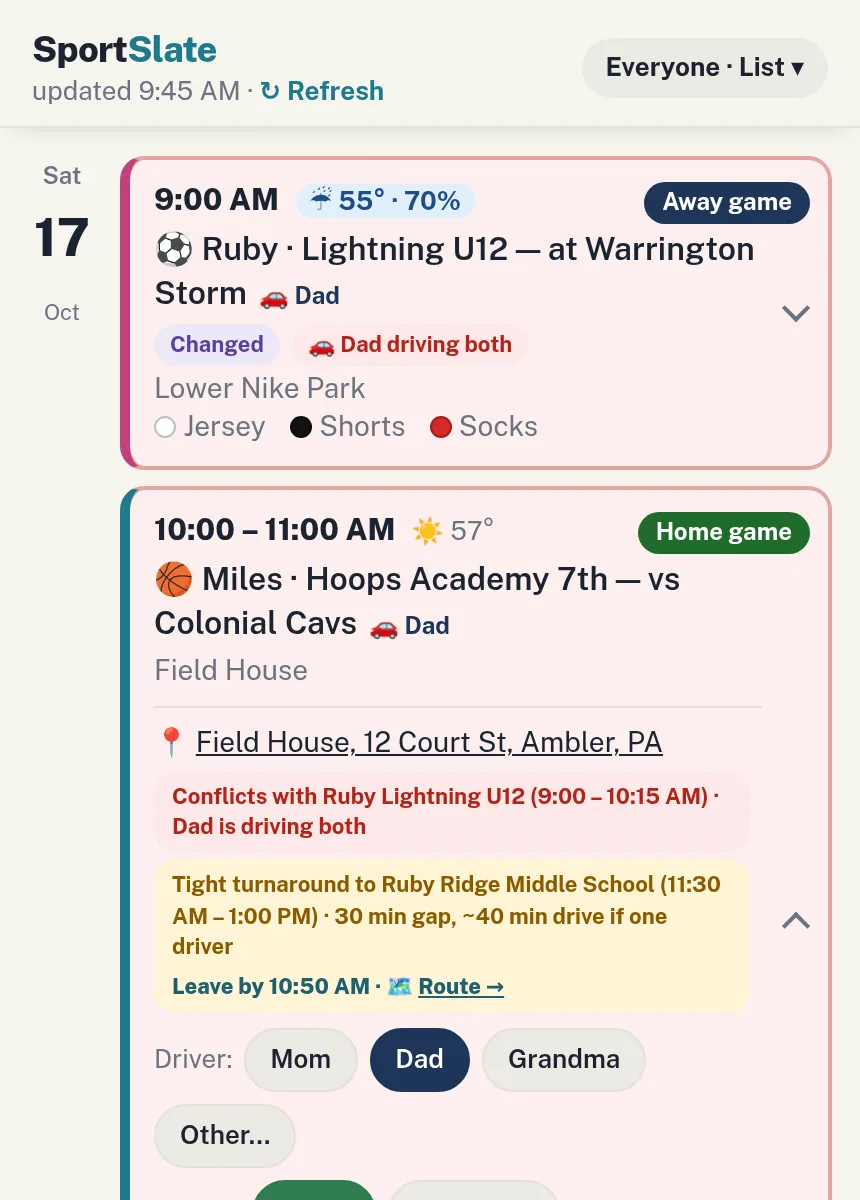
SportSlate lines every team up on the same day and flags what overlaps — plus the tight turnarounds, using the drive time between venues. You see it the moment the schedule lands, not when you're about to leave the house.

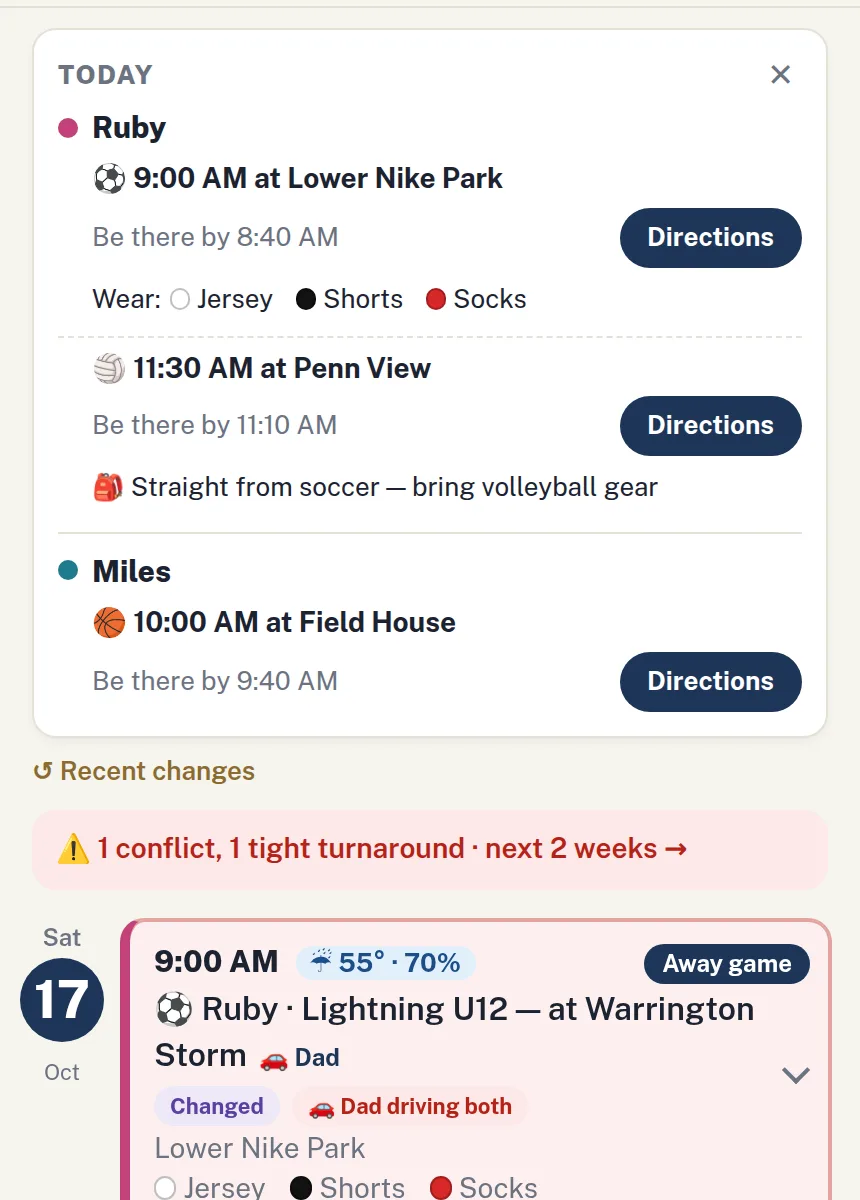
Open the app on game day and it's right on top: each kid's next event, when to be there, and one tap for directions. It tells you what to wear when the coach sets a uniform — and what to pack when a kid is going straight from one sport to the next.

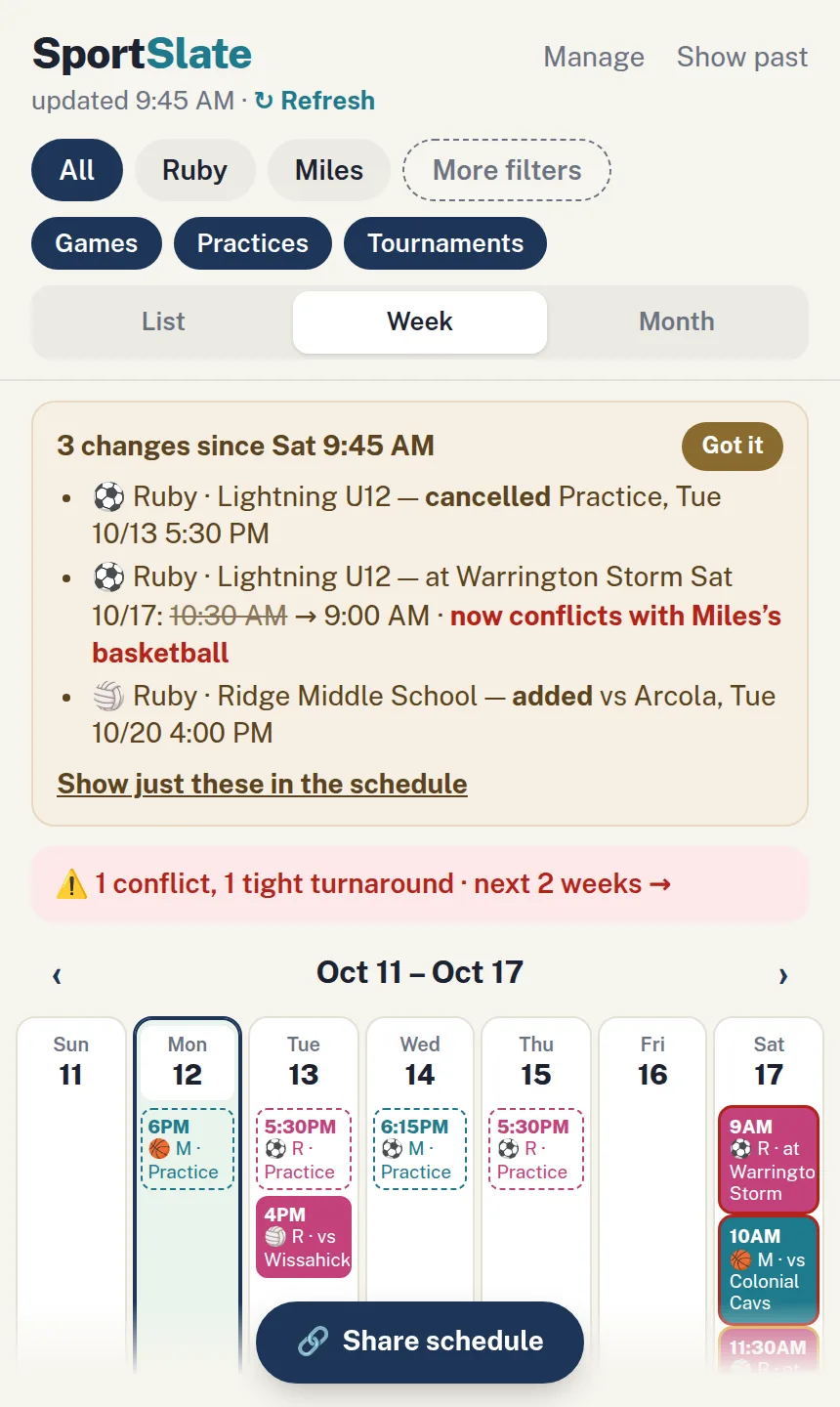
Coaches change times and locations. SportSlate keeps a log and shows you what's different since you last looked — a practice moved from 6:00 to 6:30, a game cancelled, a new date added. And with the Sunday digest, the week ahead lands in your inbox.

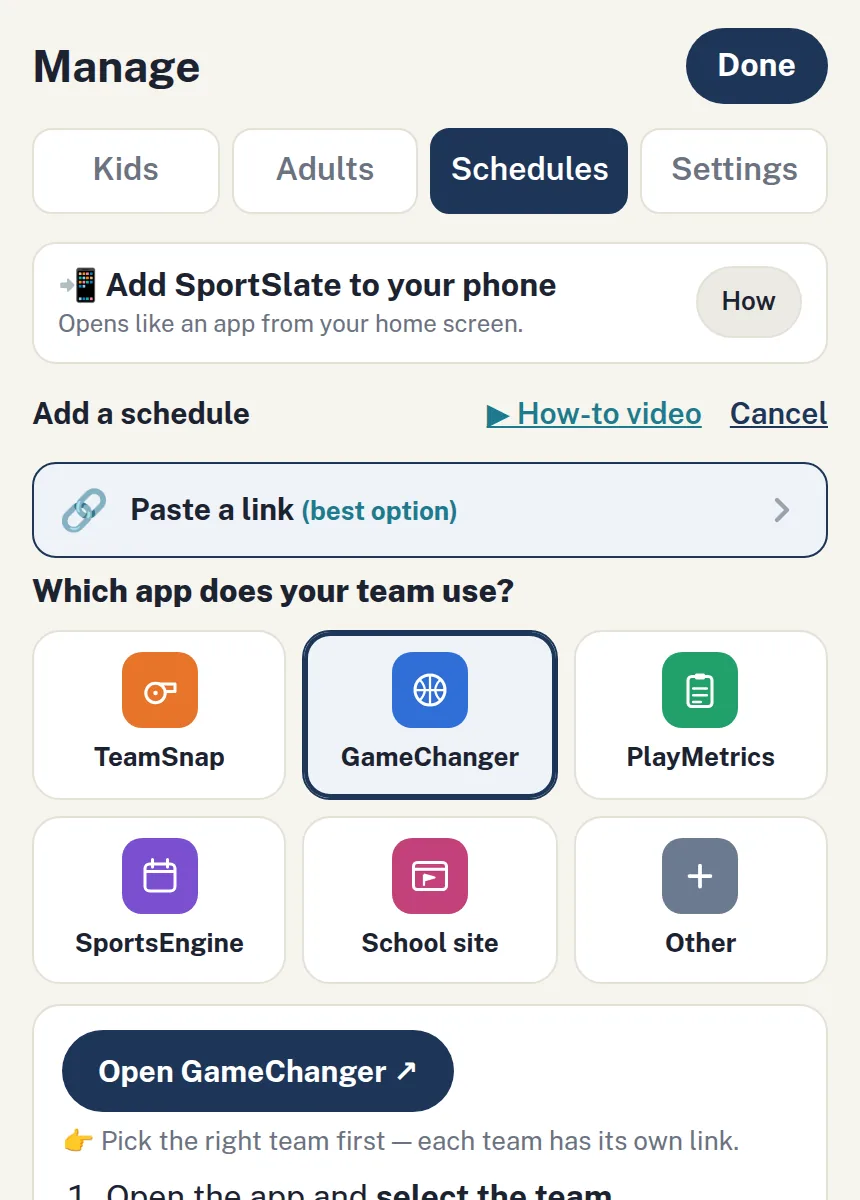
Every team app already has a calendar link. Pick your team's app and we show you exactly where it is. Paste it once and SportSlate stays in sync from then on. No link? Snap a screenshot of the schedule, or hand it the PDF the coach emailed, and it reads it in. Or just type the event in and you're good to go.

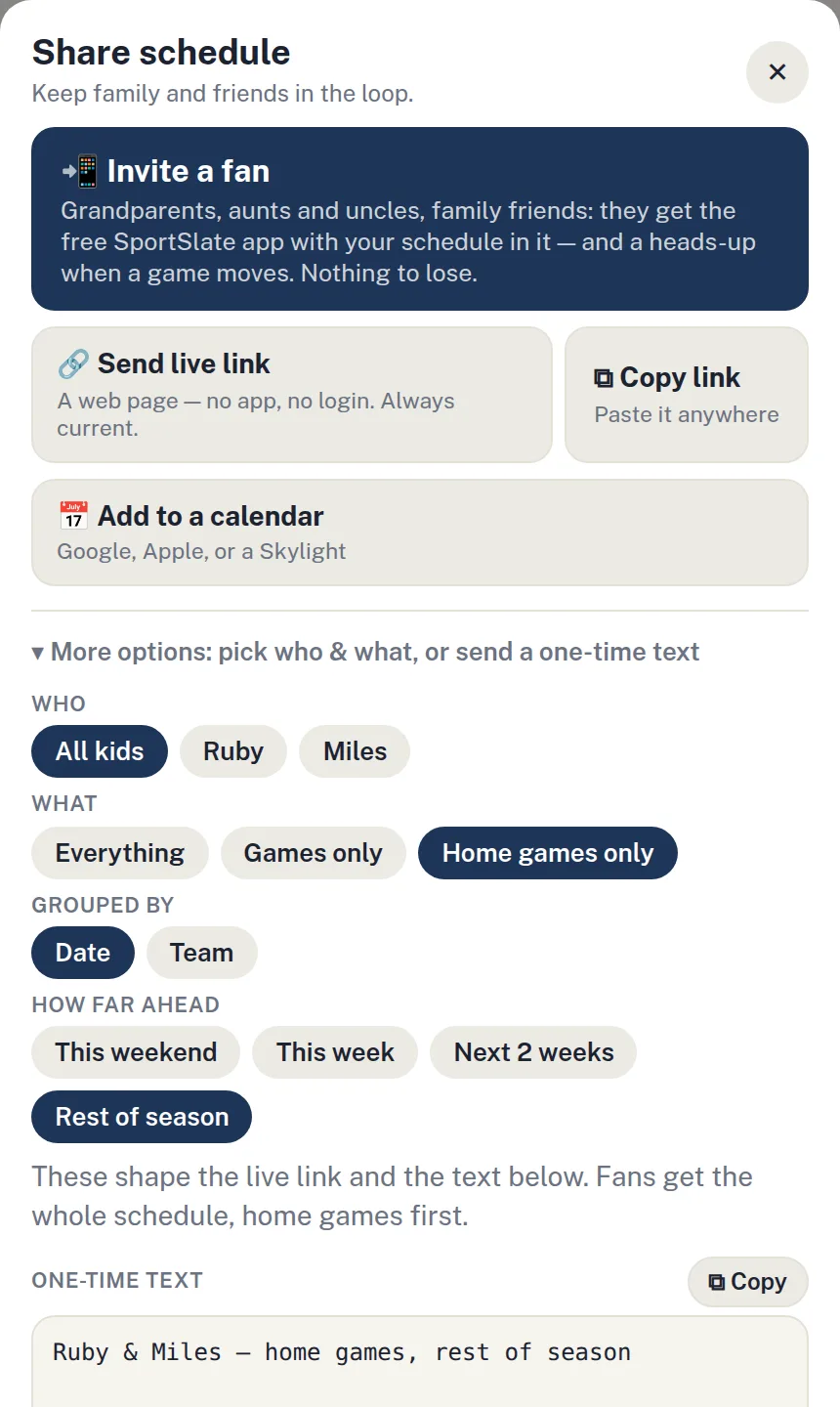
Invite grandparents, aunts and uncles, and family friends as fans. They get the free SportSlate app with your schedule in it — home games by default — and a heads-up on their phone when a game moves. Following your sister's kids doesn't flood your own list: each family gets its own tab. Prefer a plain link? Send that instead — it updates itself, no app, no login.