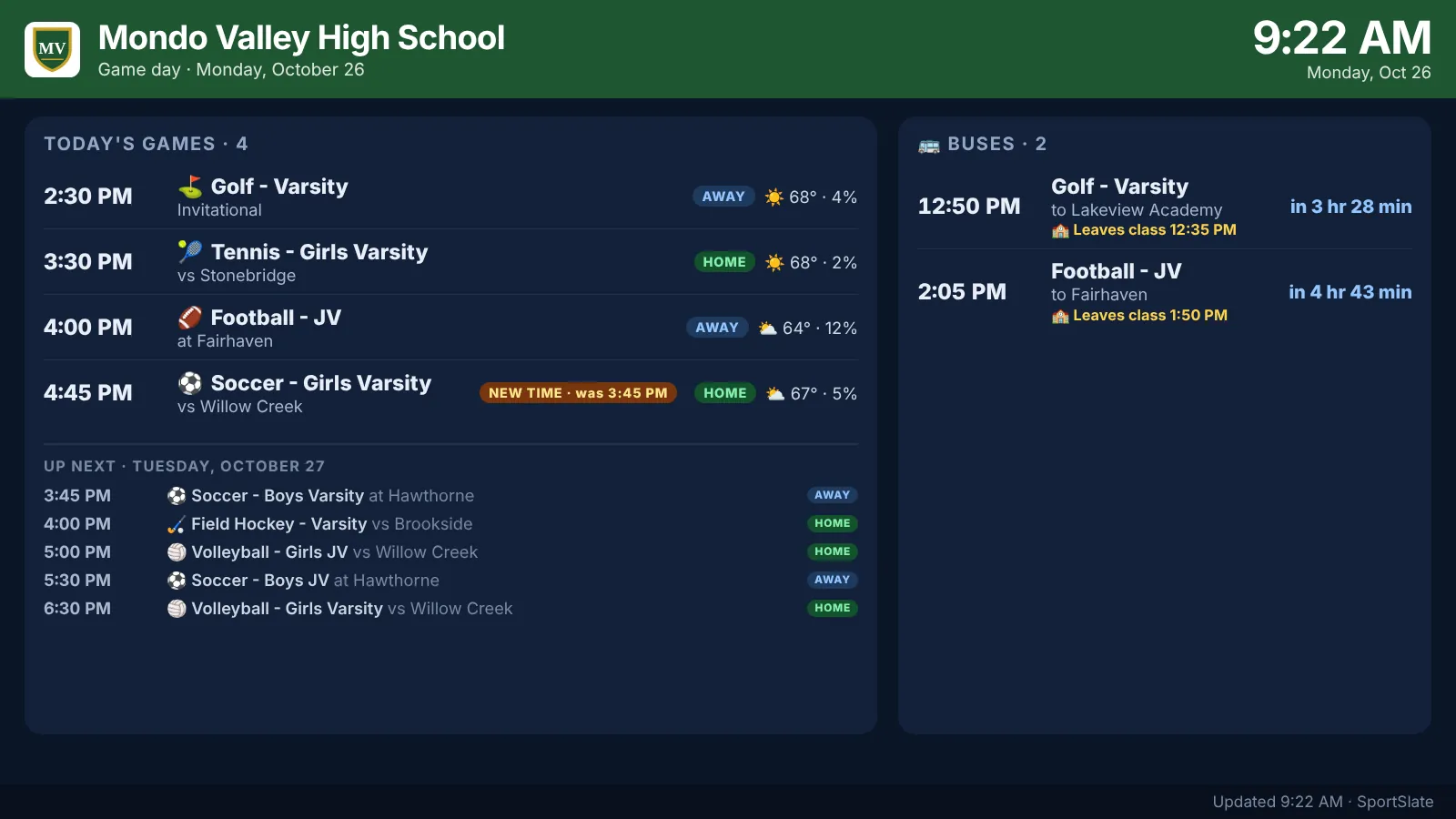
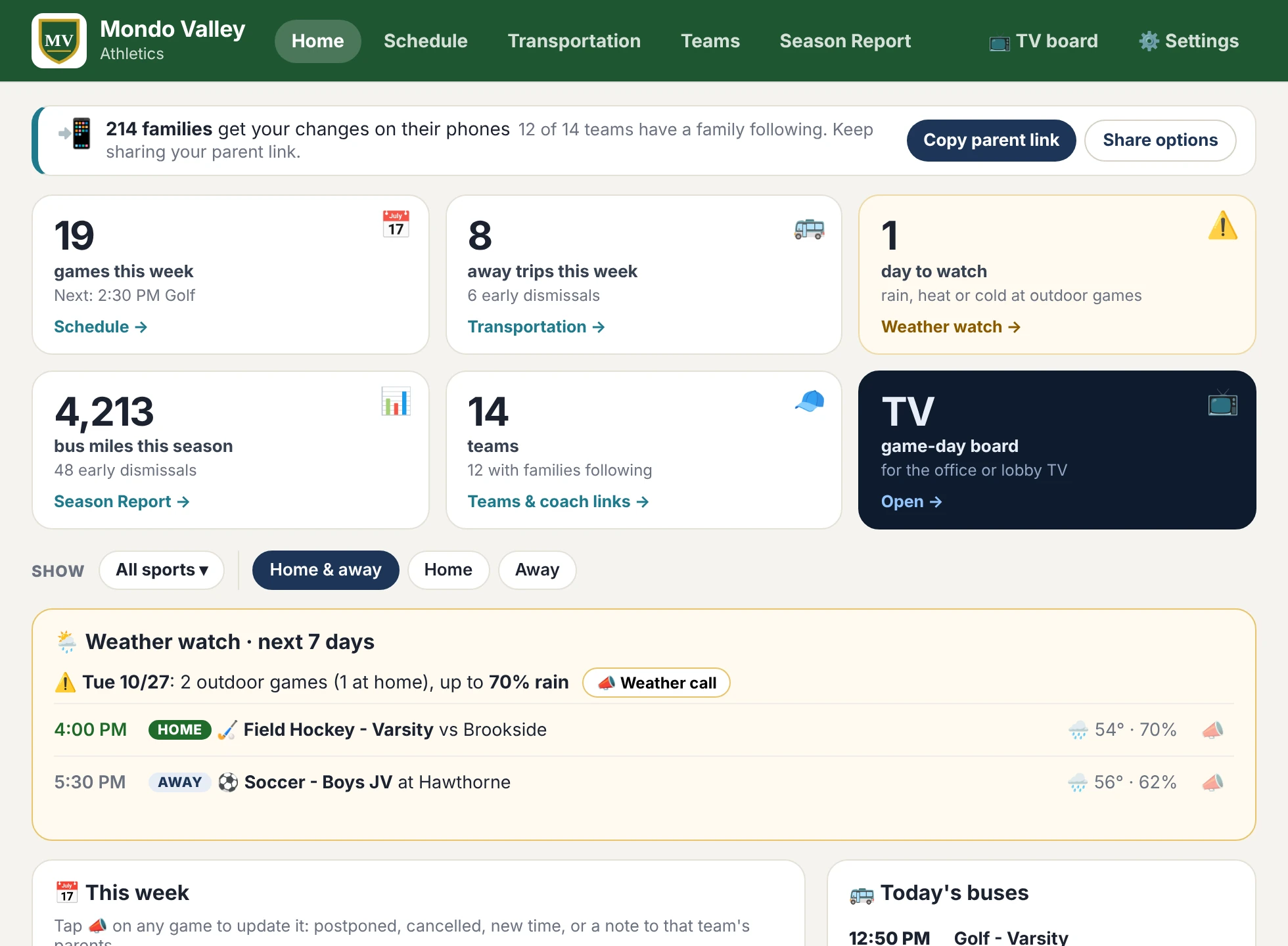
Add the athletics calendar you already keep. SportSlate builds your dashboard and sends every parent their kid's game changes, automatically. Plus weather watch, early dismissal and bus times, one-tap game-day notes, and a page for every coach.
Works with Finalsite, ArbiterGame, Google Calendar and any athletics site with a calendar link. See the live demo ↗
Free pilot
Nothing to install, no card. School, name, email — your sign-in link is on its way, usually the same day.
2-minute demo
The upgrade
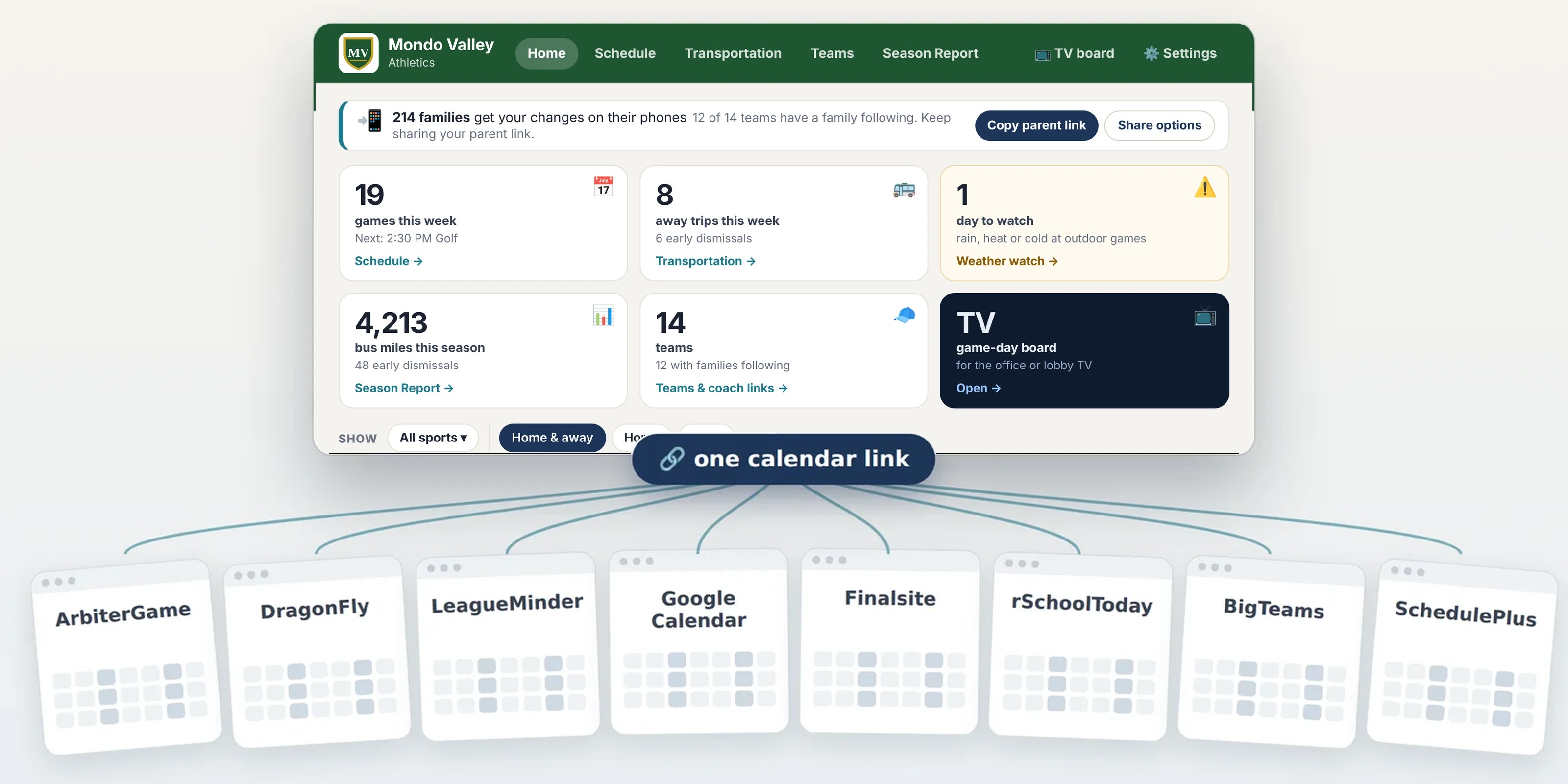
Keep scheduling exactly where you do now: ArbiterGame, DragonFly, LeagueMinder, Google Calendar, Finalsite, rSchoolToday, BigTeams, or any site with a calendar link. SportSlate sits on top and turns it into a live dashboard: every team, weather watch, away travel, and how many parents get your changes. It stays up to date with every change you make.

How it works
The one you already keep. SportSlate reads it and finds every team and game on its own.
A ready-to-send message for your email, newsletter or socials. Parents pick their kid's teams.
Every change you make reaches that team's parents within minutes. Weather watch, bus and early dismissal times, one-tap game-day notes and coach pages are ready when you need them.
What you get

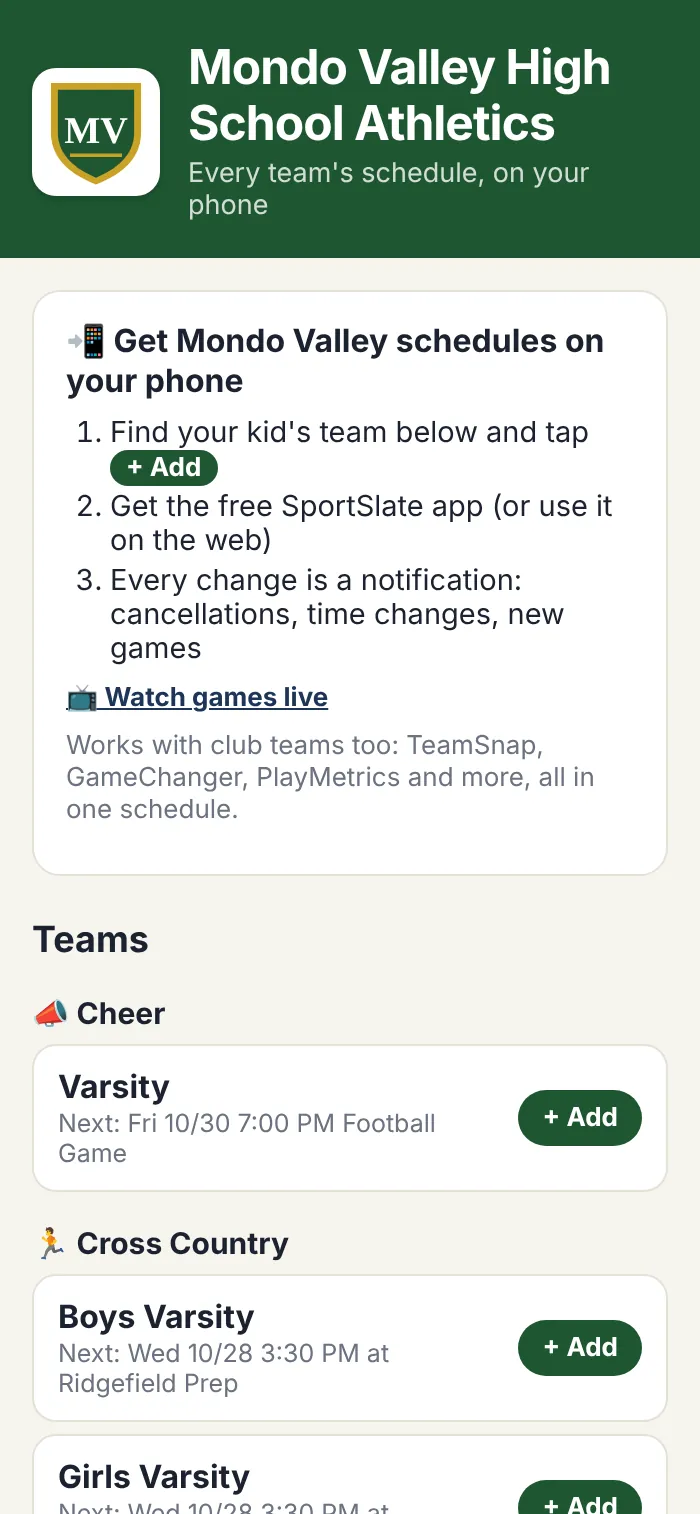
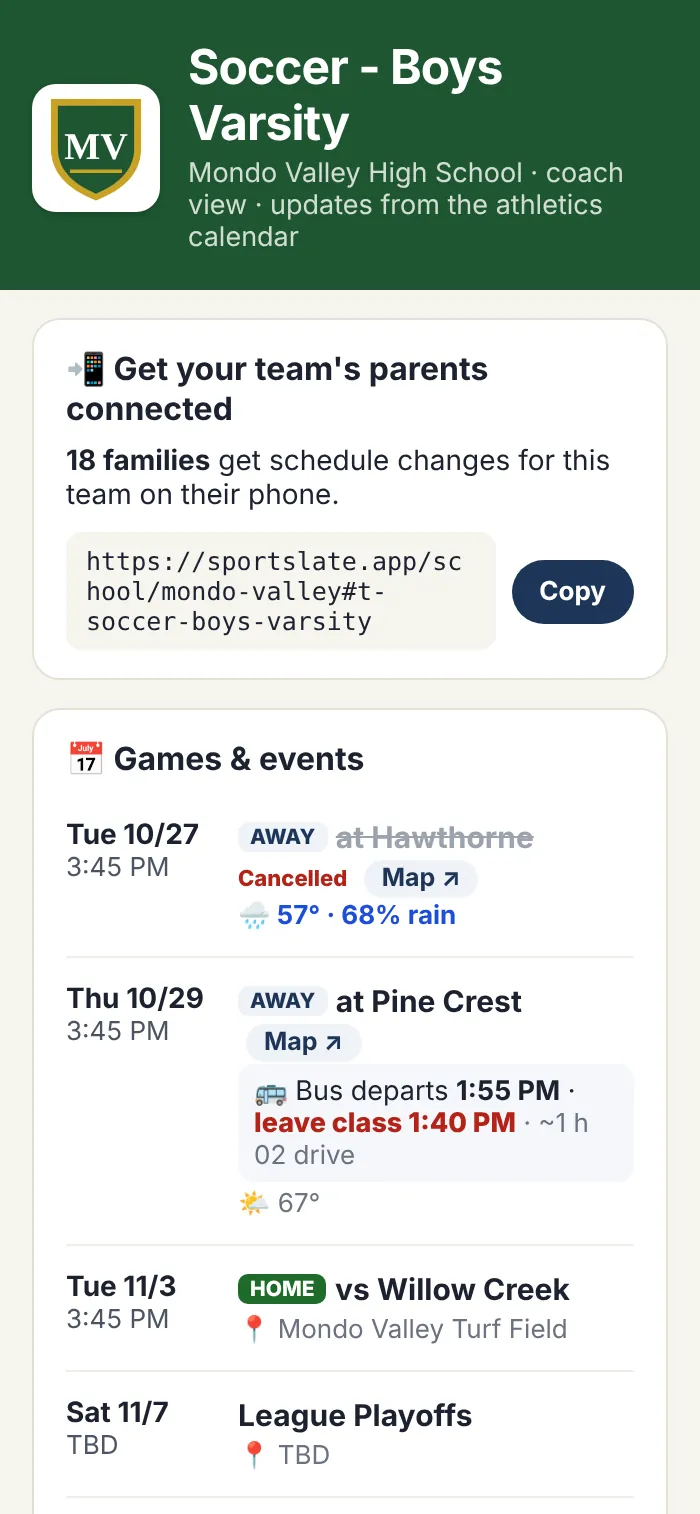
Parents pick their kid's teams once. Cancellations, time changes and new games show up as phone notifications, right next to their club teams.

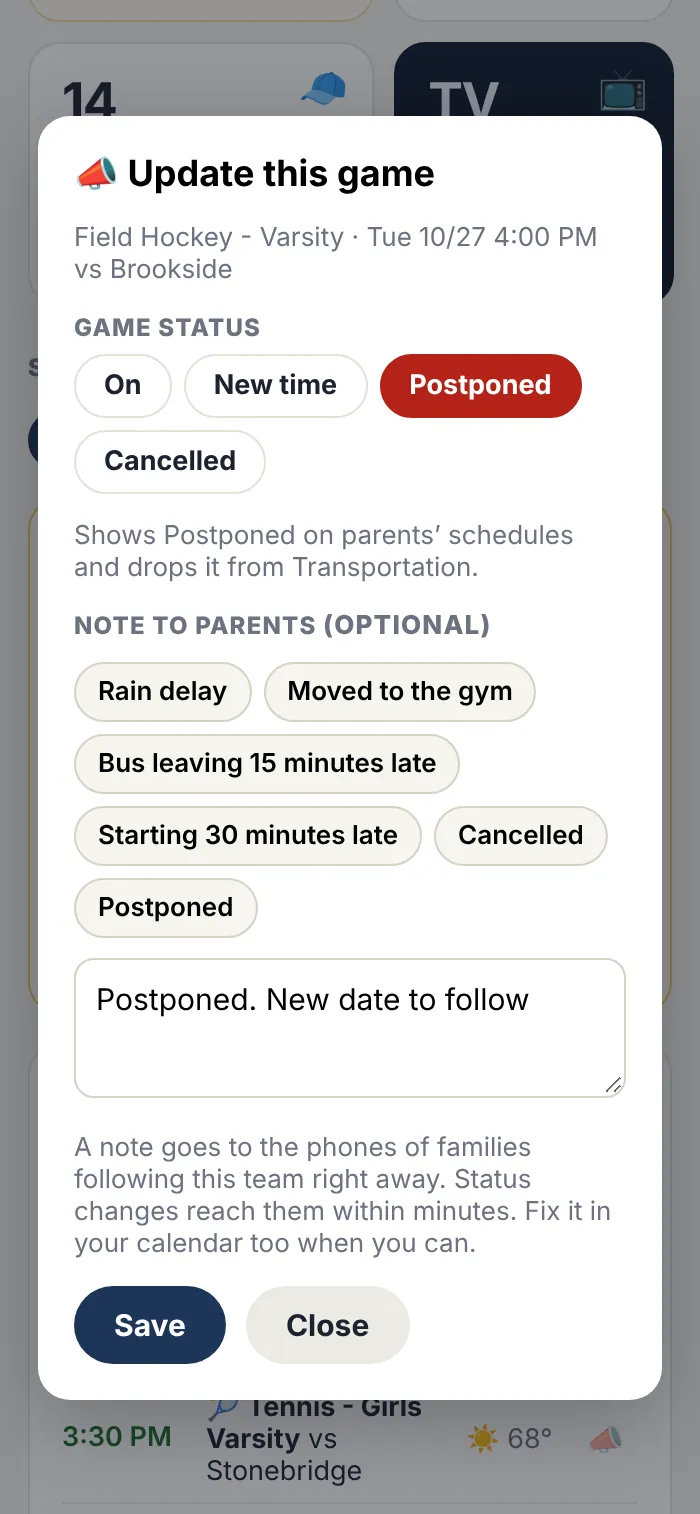
Tap 📣 on any game to postpone it, cancel it or move it to a new time. Parents' schedules and Transportation update on their own. Add a note (rain delay, moved to the gym) and only that team's families get it.

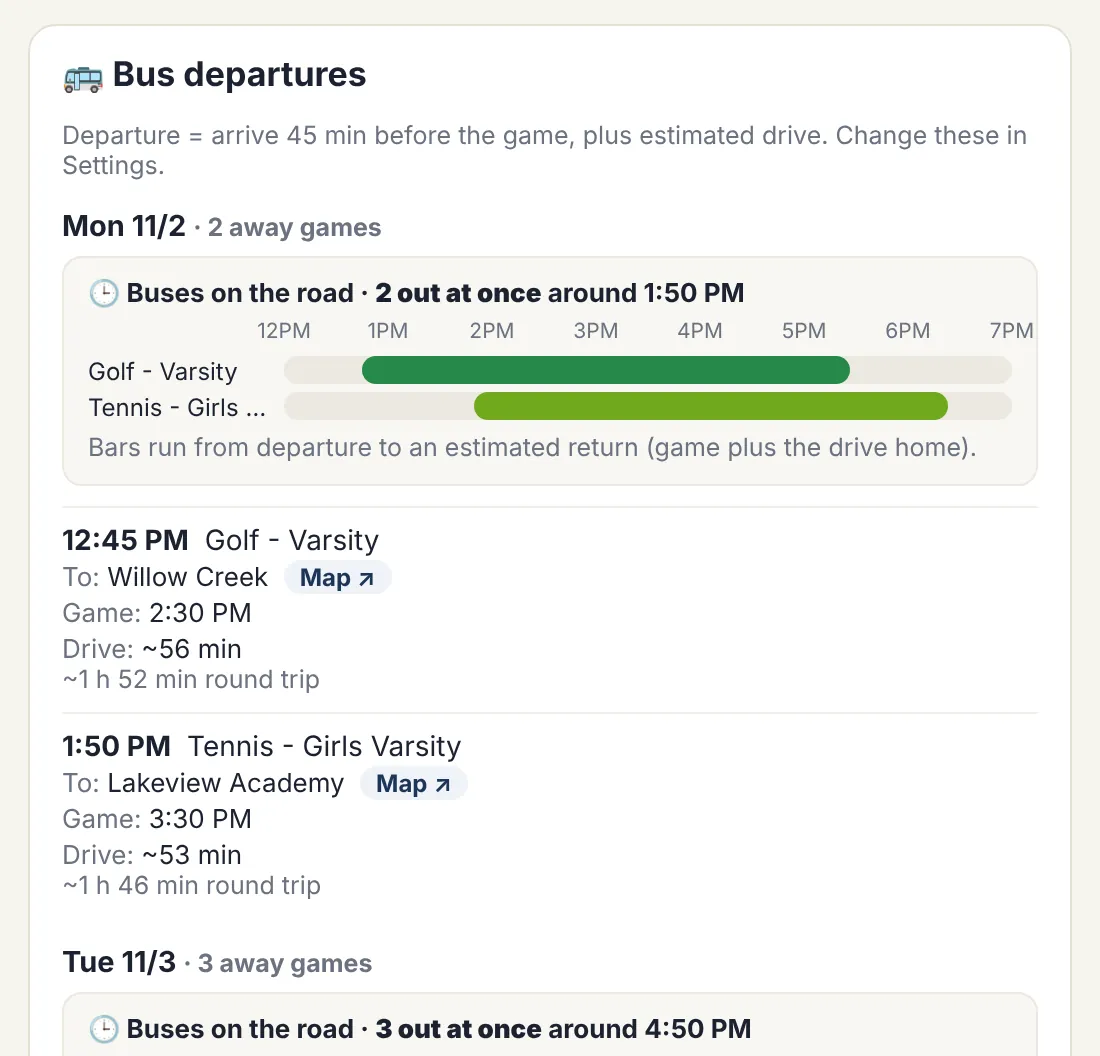
Who leaves class when, when each bus leaves and gets back, how many are out at once, a map link for every trip, and which teams can share a bus. Emailed to transportation every Monday, automatically.

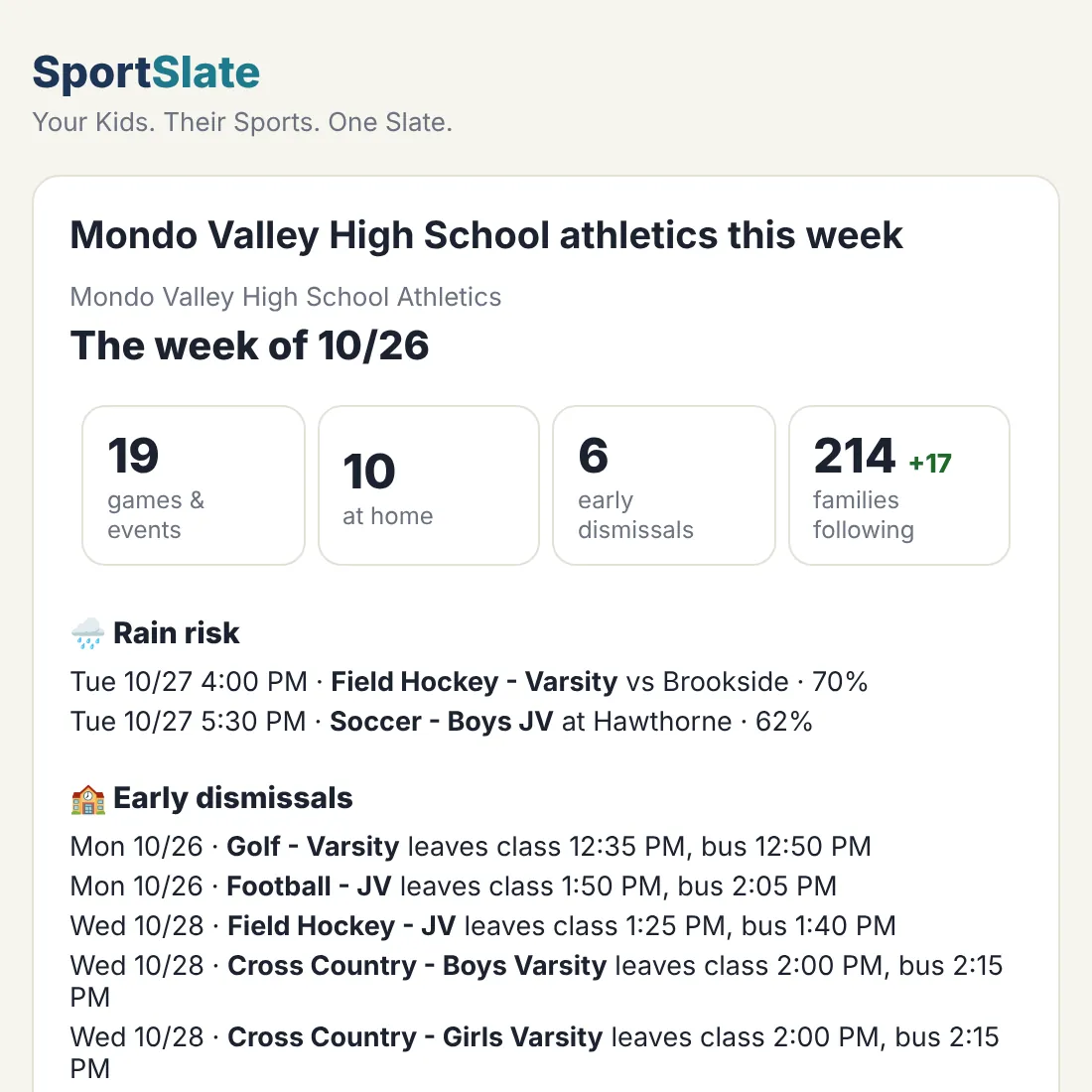
The week ahead for you, your principal and boosters: games, home games, early dismissals and rain risk. Sent automatically.

One tap sends each coach a page for their team: every game, bus and leave-class times, directions, weather and your notes. No login.

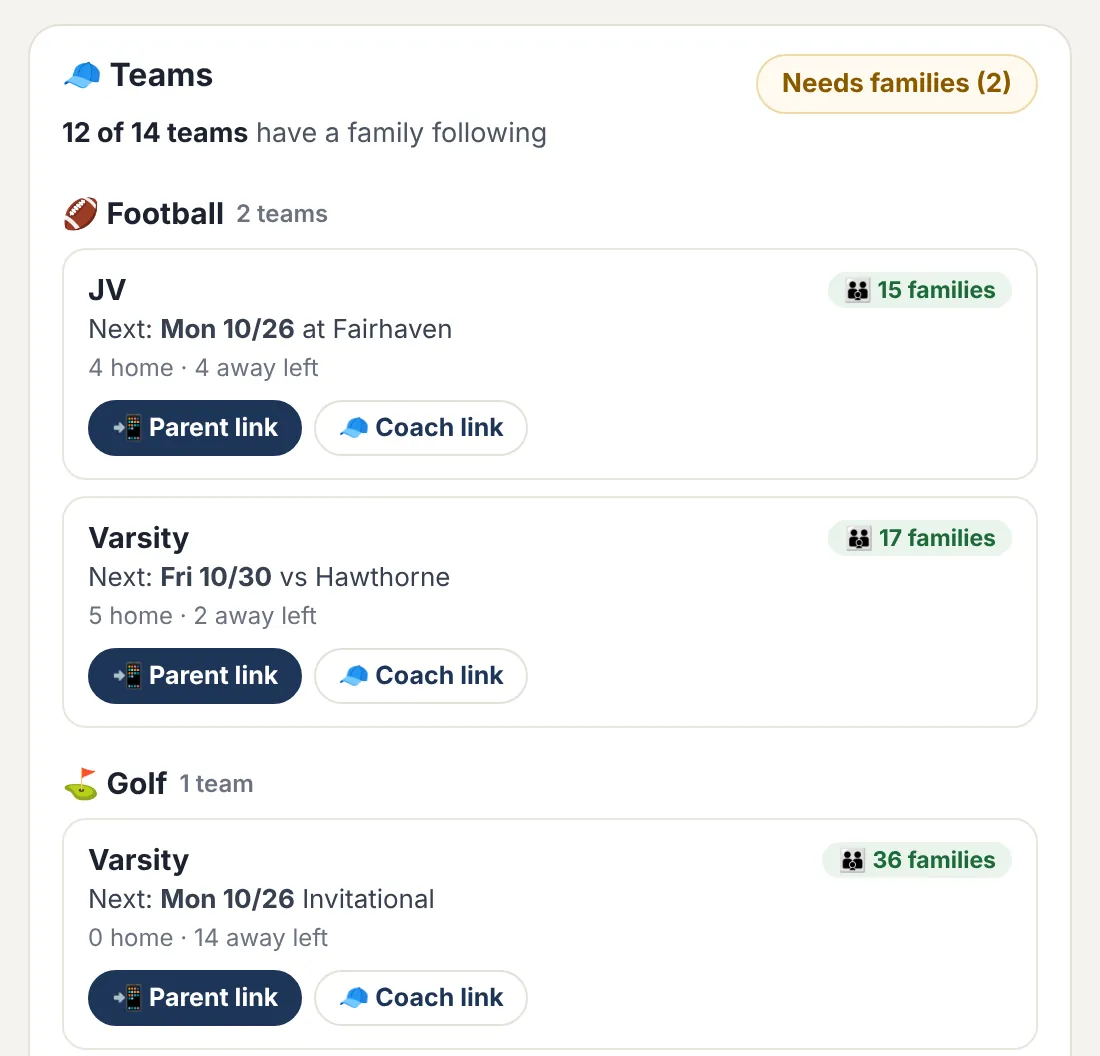
Every team, what's next, and how many families follow it. One tap copies a parent link to send home or a coach link for the team's coach.
Season Report
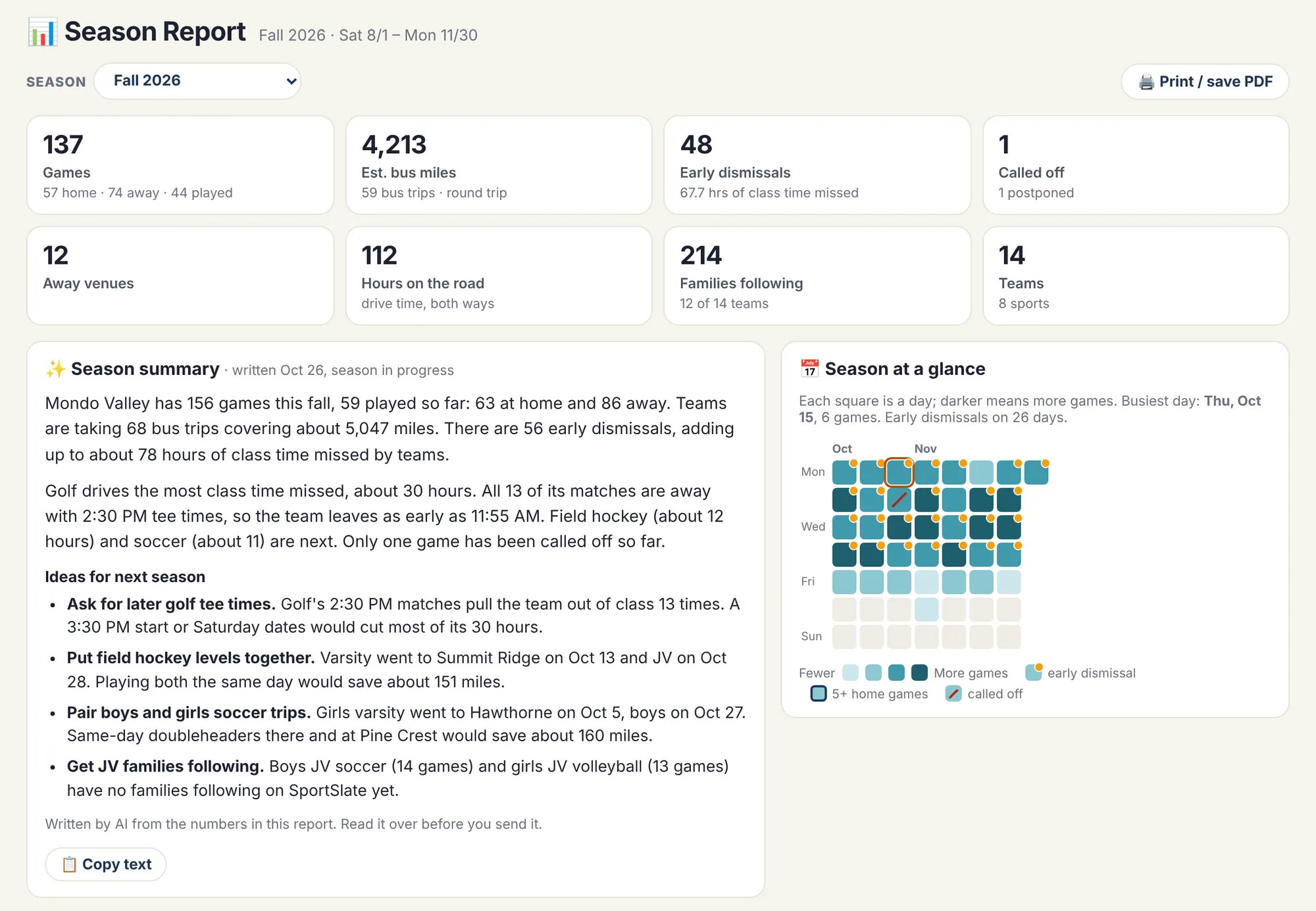
Games home and away, bus miles and cost, early dismissals and class time missed by sport, and called-off games, built from your calendar. One tap and AI writes it up for your principal or board, with ideas for next season's schedule. Past seasons are one click away.

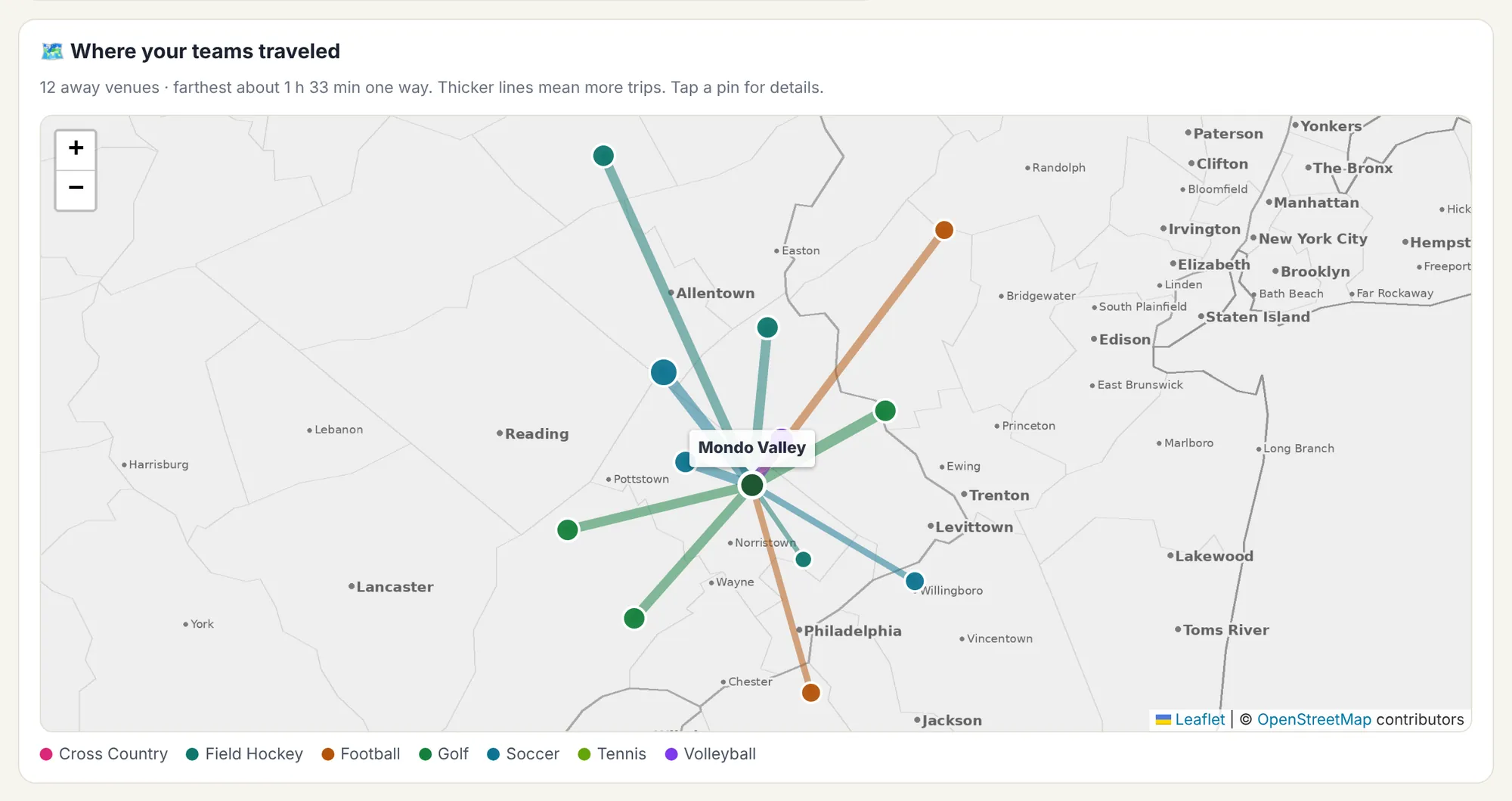
See everywhere your teams traveled this season, with thicker lines for the trips you make most.

Game day
The TV board turns any office or lobby TV into a live game-day display: today's games, bus countdowns, weather and anything postponed, updating on its own. No sign-in on the TV.

Questions
No. Keep using Finalsite, ArbiterGame, Google Calendar or whatever you use now. SportSlate connects to your calendar link and stays in sync on its own.
Usually within five minutes of you saving the change in your calendar.
Only the staff you add by email. They sign in with a link, no passwords. Parents see their kid's teams, never the dashboard.
Nothing for your school's teams. If a family also adds club teams, that part is their own subscription.
Paste the new one in your dashboard settings. Families keep their teams and never notice.
One price per school, per year, invoiced to the school. See pricing.